

Scan the score.
Sing your part.
Take a photo of your choir music or open the PDF your director sent. ScanSing reads the notes on your phone and plays your line louder than the rest, so you can learn it before the next rehearsal.
No app yet? Scan a page free in your browser and hear it.


From paper to practice in three steps
No account and no upload. The notes are read on your phone, even on a train without signal.
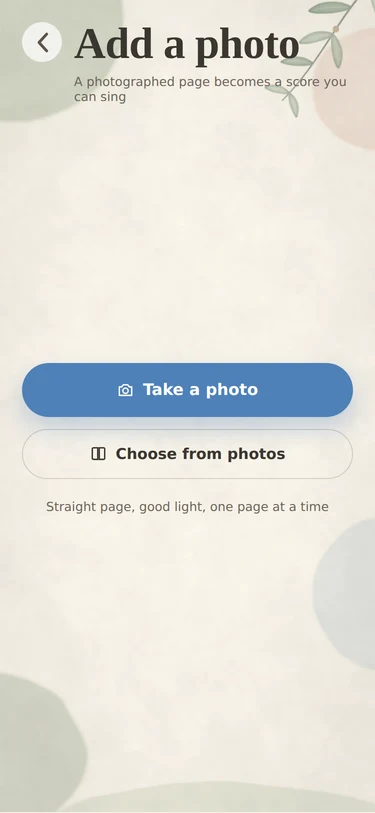
Scan or open
Photograph printed pages, or open a PDF from Mail, Files or WhatsApp. MusicXML files open as they are.
Pick your part
Choose soprano, alto, tenor or bass. Your line gets louder and is marked in the score; the others step back.
Sing along
Slow it down, loop the hard bars, and sing with the other voices or on your own until it sits in your voice.

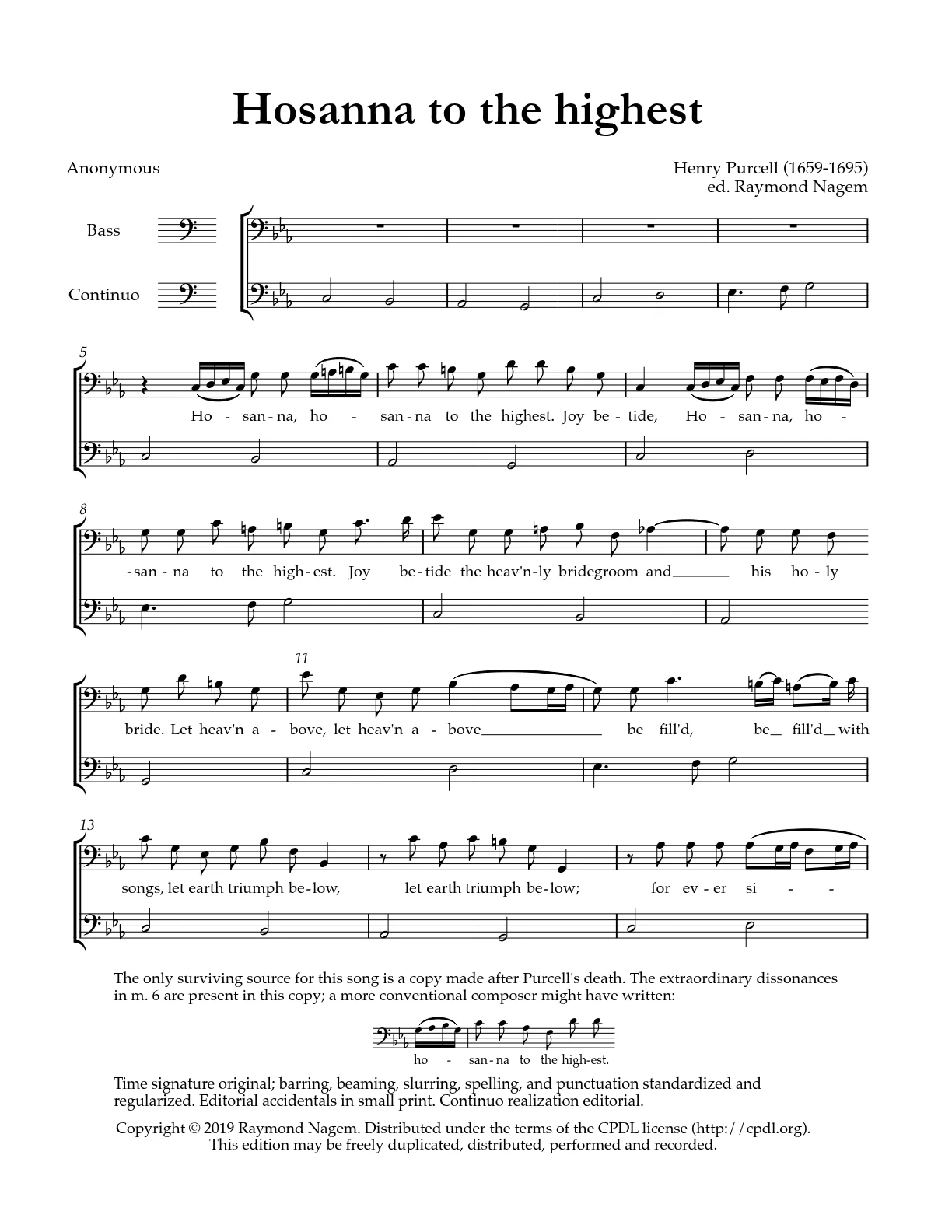
Your line, picked out on the page you were given
ScanSing keeps your printed page on screen and marks the staff you sing. Pick a voice to see it move.
Made for the week between rehearsals
Your part, front and centre
Hear your line over the other voices, or on its own. The score follows along and keeps your staff marked.
With music · SoloPractice loops
Pick a phrase or a range of bars, set how many times to repeat, and add a breath or a count-in between passes.
Repeats 3 · 5 · ∞ · Breath 2–6 s · Count-in 1–2 barsTempo and key
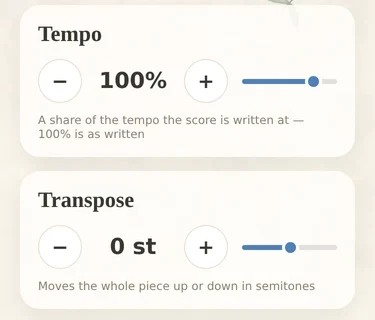
Start slow and work up. Move the whole piece up or down in semitones to fit a lower alto or a tired tenor.
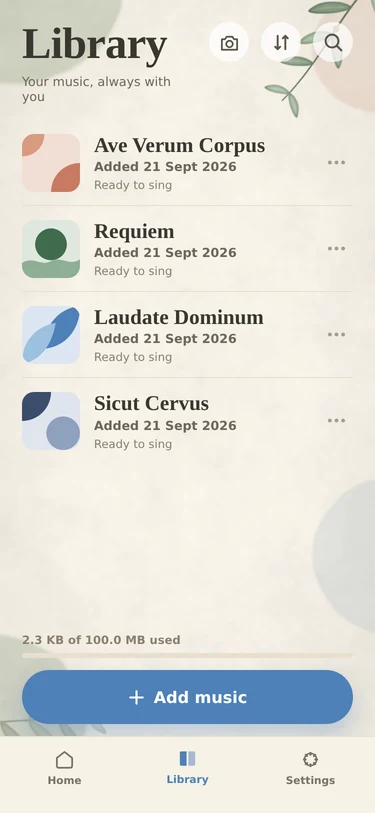
A library for the whole season
Every piece keeps your part, your tempo and where you stopped. Continue from the home screen next time.
PDF · photo · MusicXML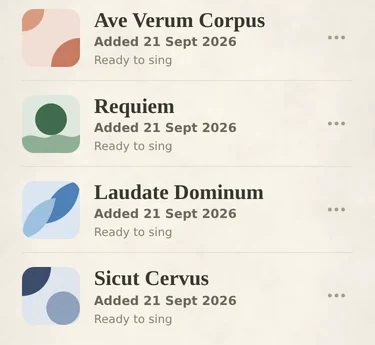
See where you drifted
Sing your part with headphones on. After each pass every note you sang is tinted on the staff: red where you were sharp, blue where you were flat, stronger the further off. Tap a note to hear it as you sang it and in tune, or play the whole take back auto-tuned.
Practice section · Voice input · Your last take


Choirs can't stop talking about it*
Honest stories from real rehearsal rooms. Tap a film to hear it.
* Not really. Everyone here was made with an AI video tool. It was the only way to find a choir director willing to press one key forty times on camera.
- Learning parts, the old way:
- the same note, forty times.
I pressed that key forty times a week for twenty years. Then the altos found ScanSing.Choir director, St. Somewhere
- The alto part, bar one:
- still the same note.
Eight bars on one note. ScanSing played me the other three parts, and now I know why.Alto, back row
- Two bars of rest.
- The tenor counted one.
- Everyone noticed.
I came in a bar early in front of the bishop. Now ScanSing counts me in.Tenor, one bar ahead
- Red light. Bass part, bar 12.
- Low E. Full commitment.
- He has fans now.
My part is so low only the car can feel it. ScanSing keeps me in tune at every red light.Bass, stuck in traffic
- 1 a.m. The concert is at 11.
- Same phrase, attempt 37.
- Her husband knows it by heart now.
Now I loop the phrase in my earbuds and my husband sleeps. Our marriage thanks you.Soprano, night shift
Free to learn your part
The player and your own part are free for good. Pro removes the scan limit.
Free
- Scan 3 pieces a month
- Player, your part, tempo, transpose, loops
- Open MusicXML without limit
- All skins
- Export MusicXML
ScanSing Pro
- Unlimited scans of photos and PDFs
- Everything in Free
- Export MusicXML to MuseScore or Sibelius
- Family Sharing
Rather not subscribe? Buy Pro once for $49.99 and keep it.
Payment goes through your Apple ID. Subscriptions renew automatically unless turned off at least 24 hours before the end of the period. See the Terms of Use.
For choir directors
Scan the new piece once and send your choir a link. Each singer opens it with their own part already chosen.
Tell us about your choir →Before you try it
What kind of music can it read?
Printed choral scores such as SATB, SSA or TTBB, from a photo or a PDF. Handwritten scores are not supported. MusicXML files from MuseScore or Sibelius open directly.
How accurate is the scan?
Clean printed pages come through best. Photos taken at an angle or in poor light do worse, and old or faint prints can have mistakes. Check the tricky bars against your printed copy. We tested it against other apps on nine printed scores: see the results, including where it loses.
Is my data uploaded anywhere?
No. Scans are recognised on your phone and stay there. ScanSing's App Store privacy label is "Data Not Collected".
Does it work offline?
Yes. Scanning, playing and looping all work without a connection.
Is there an Android version?
Yes, in beta. Open the Android beta link on your phone and follow the steps to install it.



Learn this week's piece
before the next rehearsal
The public beta is free while we test. On iPhone, iPad and Mac it runs on TestFlight: open the link on your device and install TestFlight if Apple asks. On Android, open the Android link on your phone and follow the steps to install the app.
hello@scansing.app